⬇ Download the launcher
How to start
- Download the zip, right-click it → Extract All, then open FloppaLauncher.exe. No installer needed.
- If Windows shows "Windows protected your PC" (the game is new and not signed yet): More info → Run anyway.
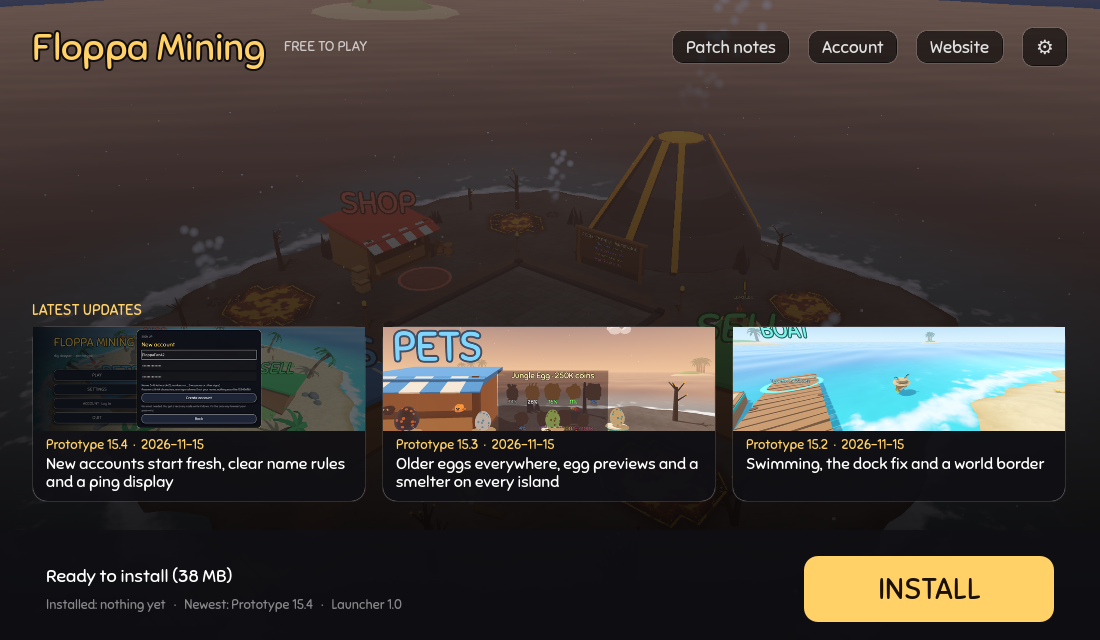
- Click INSTALL. The launcher downloads the game and checks the download.
- Click Log in (or create an account there, no email needed), then PLAY.
Playing with friends
Both need an account. Go to the same island and the server puts you in the same lobby (up to 10). Turn off "Play alone" in the account window.
Updates
The launcher shows UPDATE when there is a new version. Your progress is on the server, so updating never loses it.
Where does it go?
Windows: %APPDATA%\FloppaMining\game, Linux: ~/.local/share/FloppaMining/game. Remove it: launcher ⚙ → Uninstall the game, then delete the launcher.
Still in development
Things change often and bugs can happen. Every update is on the updates page.